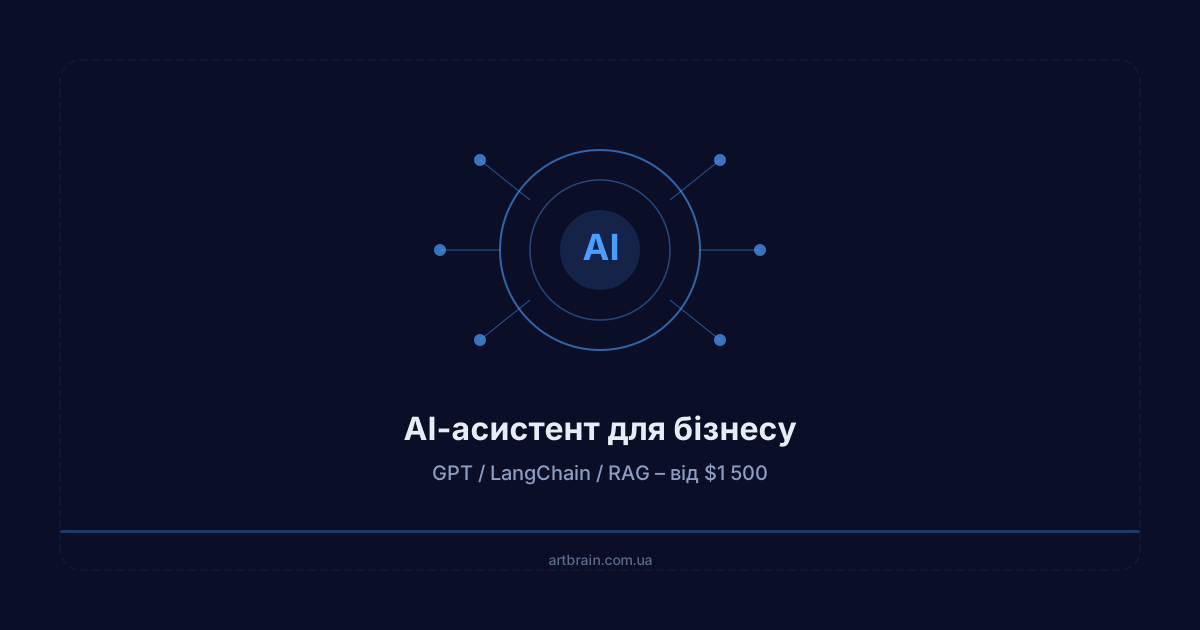
An AI assistant for business is a program powered by a large language model (GPT-4, Claude, LLaMA) that uses your company's knowledge base to answer questions. It answers customer questions in chat, finds the right information in your internal documents, and qualifies incoming leads – all in natural language rather than pre-written templates. The key difference from a regular chatbot: an AI assistant understands context and generates responses on its own. At Artbrain, we build custom AI assistants starting from $1,500 in 2–4 weeks using RAG, LangChain, and vector databases. In this article – how it actually works under the hood, how it differs from a bot, what tasks it handles, what it realistically costs, and who does NOT need one.
How an AI Assistant Differs from a Chatbot
This is the most common question, and the answer is straightforward. A regular chatbot is a decision tree: press a button – get a pre-written response. If the question falls outside the script, the bot is helpless. An AI assistant works fundamentally differently.
| Feature | Regular Chatbot | AI Assistant |
|---|---|---|
| How it works | Scripts, buttons, keywords | Language model (GPT/Claude) + search through your data |
| Responses | Fixed templates | Generates a response tailored to the specific question |
| Context | Can store state and answers within the scripted flow | Uses supplied context and available conversation history |
| Knowledge source | Whatever was manually scripted | Your documents, manuals, price lists (via RAG) |
| Unexpected question | "I don't understand, please choose from the menu" | Attempts to find an answer in the knowledge base |
| Cost at Artbrain | Telegram bot from $300 | AI assistant from $1,500 |
Important: A Telegram bot and an AI assistant are different services. A bot runs on scripts and costs from $300. An AI assistant uses a language model and RAG – from $1,500. Sometimes a bot is all a business needs, and that is perfectly fine.
How an AI Assistant Works Technically: RAG, LangChain, Vector Databases
To ensure the AI assistant answers based on your actual data rather than "from memory," it uses an architecture called RAG (Retrieval-Augmented Generation). Here is how it works step by step:
- The customer asks a question – via a chat widget on your website, Telegram, or another channel
- The system searches for relevant fragments – in a vector database (Pinecone or ChromaDB) where your documents, price lists, and manuals have been converted into numerical vectors
- The found fragments are passed to the language model – GPT-4 or Claude receives the question plus the relevant context from your knowledge base
- The model generates a response – based on your company's specific data, not general knowledge from the internet
The backend runs on Python with FastAPI and Docker containers for stable deployment.
The full technology stack we use: GPT-4, Claude, LLaMA (language models), LangChain (orchestration), RAG (retrieval + generation), Pinecone, ChromaDB (vector databases), FastAPI (backend), Docker (deployment), Python (primary language).
Realistic Use Cases
Customer Support
An AI assistant answers customer questions using your knowledge base: shipping terms, product specifications, order status, return procedures. It does not fully replace human agents – complex or unusual cases are handed off to a person with the full conversation context. This takes the routine off your support team and lets agents focus on genuinely difficult inquiries.
Internal Knowledge Base
In companies with extensive documentation (policies, manuals, internal FAQs), an AI assistant becomes a search engine that understands natural language questions. Instead of browsing folders in Google Drive – just ask a question and get an answer with a link to the specific document. Particularly useful for onboarding new employees.
Inbound Lead Qualification
An AI assistant can handle the initial conversation with a potential customer: determine their needs, budget, and timeline. It structures the collected information and passes it to a manager or enters it into a CRM system. This is not a magic "more sales" button – it is a tool that frees up managers from repetitive conversations.
Document and Contract Search
For legal, financial, or logistics companies, an AI assistant extracts needed information from large document sets: key contract terms, dates, amounts, responsible parties. It works faster than a person but requires result verification – it is an assistant tool, not a replacement for a lawyer.
How Much AI Assistant Development Costs
Estimates for different scopes of AI assistant development. The final budget depends on the knowledge base, scenarios, and integrations and is agreed after the brief:
| What We Build | What's Included | Price | Timeline |
|---|---|---|---|
| AI Assistant with RAG | Connecting your documents, knowledge base search, contextual responses, web interface | from $1,500 | 2–4 weeks |
| AI Assistant + Integrations | CRM connection, messenger integration, email, lead qualification | from $2,500 | 3–4 weeks |
| Enterprise AI Assistant | Multi-channel (web, Telegram, email), usage analytics, dashboard | from $4,000 | 4–6 weeks |
In addition to the development cost, there are monthly expenses for language model APIs (OpenAI or Anthropic) – approximately $50–200/month depending on request volume. For small businesses with moderate traffic, this is usually closer to the lower end.
Separately: if you need a Telegram bot with scripts (no AI), that is a different service starting from $300.
6 Stages of AI Assistant Development at Artbrain
The development process consists of 6 stages that we complete in 2–4 weeks:
- Task and data analysis – we determine which processes to automate, which documents will form the knowledge base, and which communication channels to connect
- Architecture design – we select the language model (GPT-4, Claude, or LLaMA), RAG pipeline structure, and integration approach with your systems
- Data preparation – document processing, vector database creation, content search configuration
- Prototype development – a working AI assistant with core functionality available for testing
- Testing and fine-tuning – validation on real queries, response quality improvement, edge case handling
- Deployment and support – production launch (Docker), quality monitoring, knowledge base updates as needed
We implement in stages: each module is delivered and reviewed separately, so you can test and provide feedback before the project is complete.
8 Features Included in Development
Every AI assistant from Artbrain includes:
- Language model setup and connection to your business knowledge base
- RAG system with a vector knowledge base (Pinecone or ChromaDB)
- Chat web interface or messenger integration
- Response quality control system
- Usage analytics (query count, topics, unanswered questions)
- Admin panel for knowledge base management
- Escalation mechanism for routing complex queries to a live operator
- Documentation and team training
Who an AI Assistant Is For
- Online stores – automating common support questions (shipping, returns, stock availability)
- Service companies – initial customer consultation, collecting information for requests
- Companies with extensive documentation – internal search across policies, manuals, knowledge bases
- B2B companies – lead qualification, gathering requirements before a manager meeting
Who Does NOT Need an AI Assistant
We are honest with clients when an AI assistant is not the best choice:
- Low inquiry volume – if you get 5–10 requests a day, a human manager will handle them faster and cheaper. AI pays off at higher volumes.
- No knowledge base – if your business has no documentation, price lists, or manuals, the AI assistant has no verified source for its answers. Prepare the knowledge base first.
- You need a simple button-based bot – for menus, appointment booking, or contact collection, a Telegram bot from $300 is a better fit. Do not overpay for AI where it is not needed.
- Accuracy is mission-critical – medical, legal, or financial consultations where mistakes are costly. AI can make errors – it is an assistant tool, not an expert.
How to Choose Between Business Systems
An AI assistant is one of several automation tools. Depending on your needs, you may require a different system or a combination:
- CRM system – if the main challenge is managing clients and the sales pipeline
- ERP system – if you need to automate finances, procurement, or manufacturing
- AI assistant – if you need intelligent customer communication or document search
For a detailed comparison, see our article CRM, ERP, HRM, WMS: Which System to Choose.
Summary
An AI assistant is not a magic solution to all problems – it is a specific tool for specific tasks. It works well where there are repetitive questions, a large document base, and a need for round-the-clock communication. Development starts from $1,500, timeline is 2–4 weeks, and rollout is staged.
Request a free consultation – we will figure out whether you need an AI assistant and which configuration is right for you. Or check out the AI assistant development service with the full list of features.
Also read: how to choose a business system, 5 business automation mistakes.
FAQ
What is an AI assistant for business?
An AI assistant is a software helper powered by artificial intelligence (GPT, LangChain, RAG) that automates routine tasks: answering customers, processing requests, analyzing documents. Unlike simple chatbots, an AI assistant understands context, retrieves relevant information from your knowledge base through RAG, and integrates with CRM, ERP, and other systems. Works 24/7.
How much does AI assistant development cost?
The price depends on scope, integrations and timeline. We prepare an exact estimate after a free review of your task.
How quickly does an AI assistant pay for itself?
AI assistant payback depends on request volume, manual processing cost, knowledge-base quality and integration depth. Before development, we evaluate the process and define which tasks are worth automating.
Can an AI assistant replace an employee?
An AI assistant does not fully replace employees but takes over routine tasks: standard responses, request processing, information lookup. Complex and non-standard questions are routed to a live manager with full conversation context.
How do I order AI assistant development from Artbrain?
Submit a request for a free consultation at artbrain.com.ua/en/contacts. We'll analyze your processes, identify what to automate, and calculate the cost. A working prototype is ready within 1 week of starting. You test and provide feedback at every stage.