What is CRM and How It Transforms Business
CRM (Customer Relationship Management) is a system for managing customer relationships that helps businesses organize sales, marketing, and service in a single space.
Who Needs a CRM System
CRM is valuable for businesses working with customers, but especially relevant for:
- Long sales cycles: B2B services, consulting and complex equipment, where losing deal context is costly
- Repeat sales: e-commerce and service companies where communication quality affects repeat requests
- Sales teams: when you need a unified customer view instead of scattered notebooks and chat threads
- Marketing-driven businesses: where lead sources and lead quality must be tracked clearly
- Agencies and service teams: managing projects, deadlines, and communication with multiple clients simultaneously
Core CRM Capabilities
Customer Database & Contacts
A single repository for customer information: contacts, communication history, deals, documents. Every manager sees the full picture – emails, calls, meetings, invoices sent.
Sales Pipeline
Visual deal stages from first contact to close. The interface helps manage stages, assignees and clear deal status.
Tasks & Reminders
Reminders for calls, meetings, and deadlines. The system helps managers keep customers in work and create tasks according to process rules.
Analytics & Reports
Dashboards with the indicators you need: sales volume, manager activity, funnel stages, average deal size, deal close speed. The reporting set is defined for your process.
Process Automation
Task creation on deal stage change, lead distribution among managers, quote and invoice generation.
CRM Integrations
CRM works alongside your other business tools:
- VoIP telephony: calls directly from CRM, automatic call recording, contact creation on incoming calls
- Email & messengers: client correspondence stored in the deal card – Telegram, Viber, WhatsApp, email
- Website & forms: form submissions automatically create new leads in CRM
- Accounting: invoice, payment, and document synchronization
- Marketing tools: Google Ads, Facebook Ads – tracking ad sources down to the specific deal
Custom CRM vs Off-the-Shelf Solutions
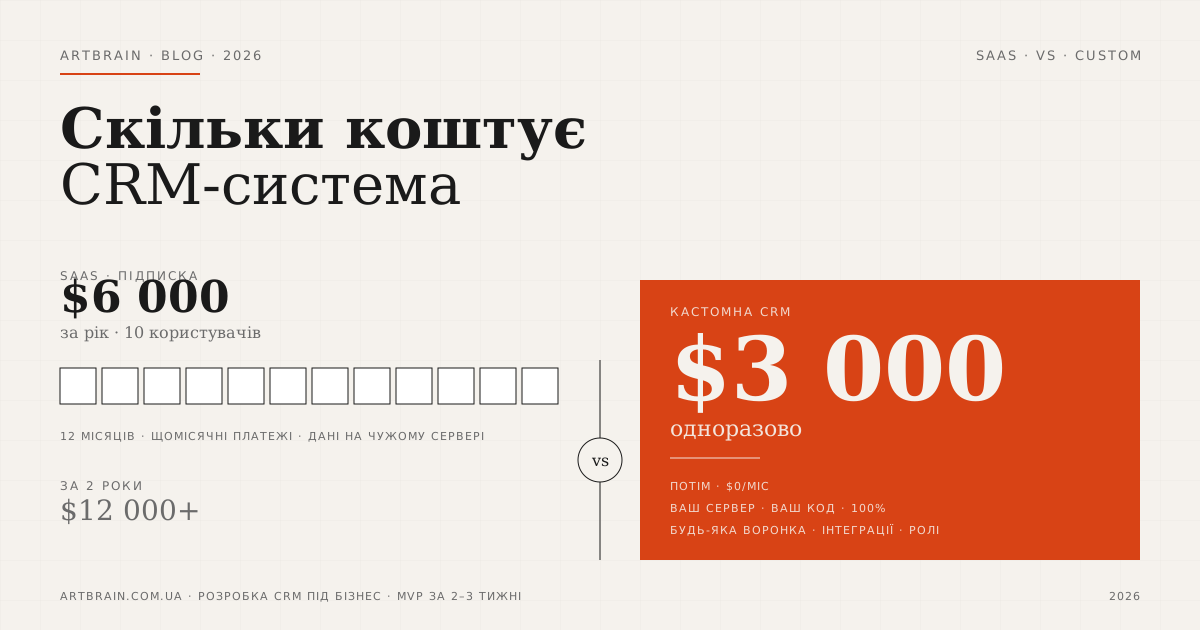
Ready-made cloud CRMs work for standard processes. But as business grows, limitations appear: not enough fields, automations do not follow the real workflow, integrations require workarounds. See our detailed cost and feature comparison in how much a CRM system costs in 2026: SaaS vs custom. A custom CRM from Artbrain is designed around your processes:
- Any pipeline structure – multiple pipelines for different business directions
- Complex lead routing – by region, product, manager workload
- Integration with your internal systems – ERP, warehouse, production
- Full data control – system on your server, no per-user licensing limits
CRM works best when paired with other tools. To automate sales via messengers, consider adding a Telegram bot, and for end-to-end business automation – explore building an online store integrated with your CRM.
CRM Implementation Steps
- Process audit – analyzing current sales, communications, and team pain points
- System design – pipeline structure, fields, roles, automations, interface mockups
- Development – building the CRM tailored to your business processes
- Data migration – importing contacts, deals, and history from Excel, old CRM, or other sources
- Integrations – connecting telephony, email, messengers, website, accounting
- Team training – onboarding managers and executives, creating documentation
- Ongoing support – usage analysis, refinements, adding new functionality