- A chat catalog suits a short selection; a Mini App opens a web storefront inside Telegram.
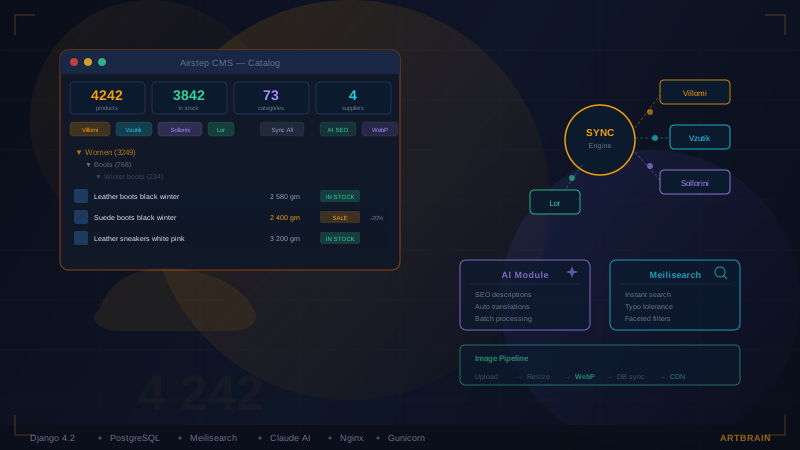
- Airstep shares its website catalog with the Mini App and sends confirmations and status updates through the bot.
- Stock, payments, delivery and business records need agreed rules and outcome checks in each connected system.
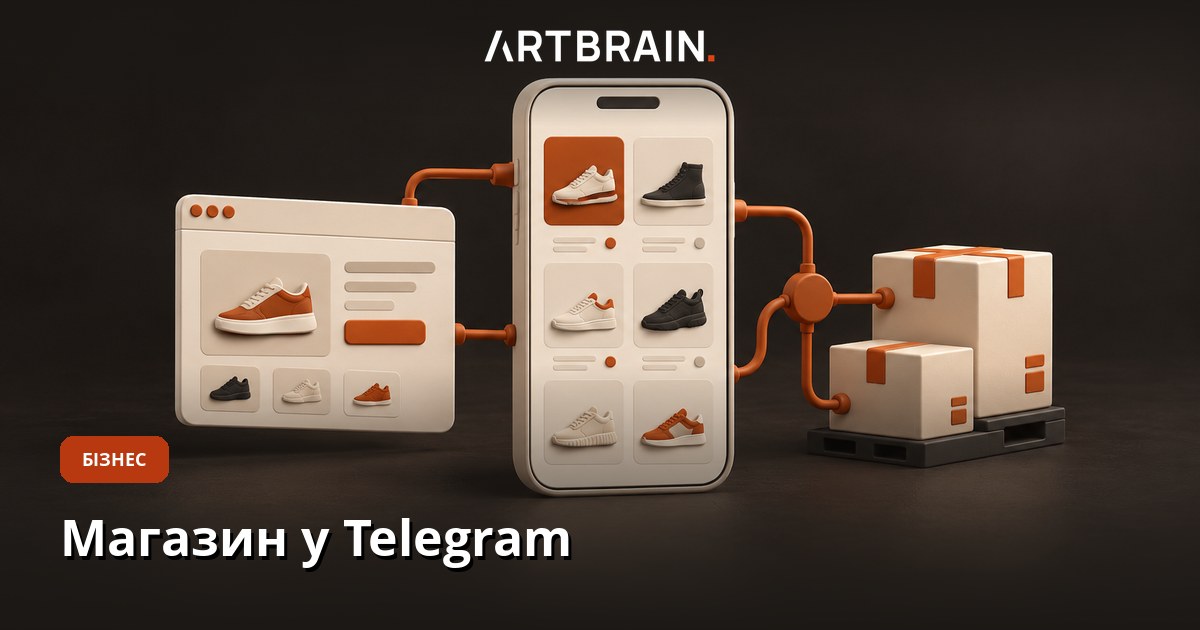
A Telegram store with a Mini App gives customers a web storefront inside the messenger. A simpler store can work entirely through catalog messages in a bot chat. For Airstep, we brought the existing shoe store into Telegram: products, prices, sizes and availability come from the same website, while the bot sends order confirmations and status updates. Customers get another way to shop, and the team works with shared store data.
The first decision concerns what happens after someone presses Place Order. A shop where a manager checks every request can start with order intake. A business selling the same stock through its website and warehouse needs agreed availability and reservation rules. An attractive storefront alone does not establish those connections.
Two ways to run a Telegram store
A catalog in the bot chat
A customer chooses a category using a button, receives product messages with photos and prices, adds an item and supplies order details. This can be a useful design when the choice is short and products need little comparison. A returning customer who already knows the required item may only need a quick reorder. A request can also lead to a conversation with a manager before anything is confirmed.
Test this format with your own products. Can someone revisit an item, change quantities and check the whole cart? If choosing a shoe size requires scrolling through a long conversation, the chat creates extra work. Product count is only part of the decision. The way customers choose, and the information they need before committing, matter more.
A Mini App, also called a Telegram Web App
A Mini App opens a web interface inside Telegram. It can be designed with categories, search, filters, product pages and a cart, much like a conventional online store. Telegram Web App is another name readers may encounter for this technology. The bot provides an entry point and messages, while the storefront handles product selection.
Opening an existing website in a smaller window is only the beginning. Navigation, the phone keyboard, returning to the cart and checkout need checking in context. Our separate guide to Telegram bot development for business covers other bot use cases. This guide follows a physical product purchase and the work it creates for the store team.
What we built for Airstep
Airstep sells footwear through an online store. The Airstep Telegram Mini App case study shows the storefront opening from the bot, product and size selection, and an order confirmation in chat. The Mini App uses the existing store, so the team does not have to populate another catalog specifically for Telegram.
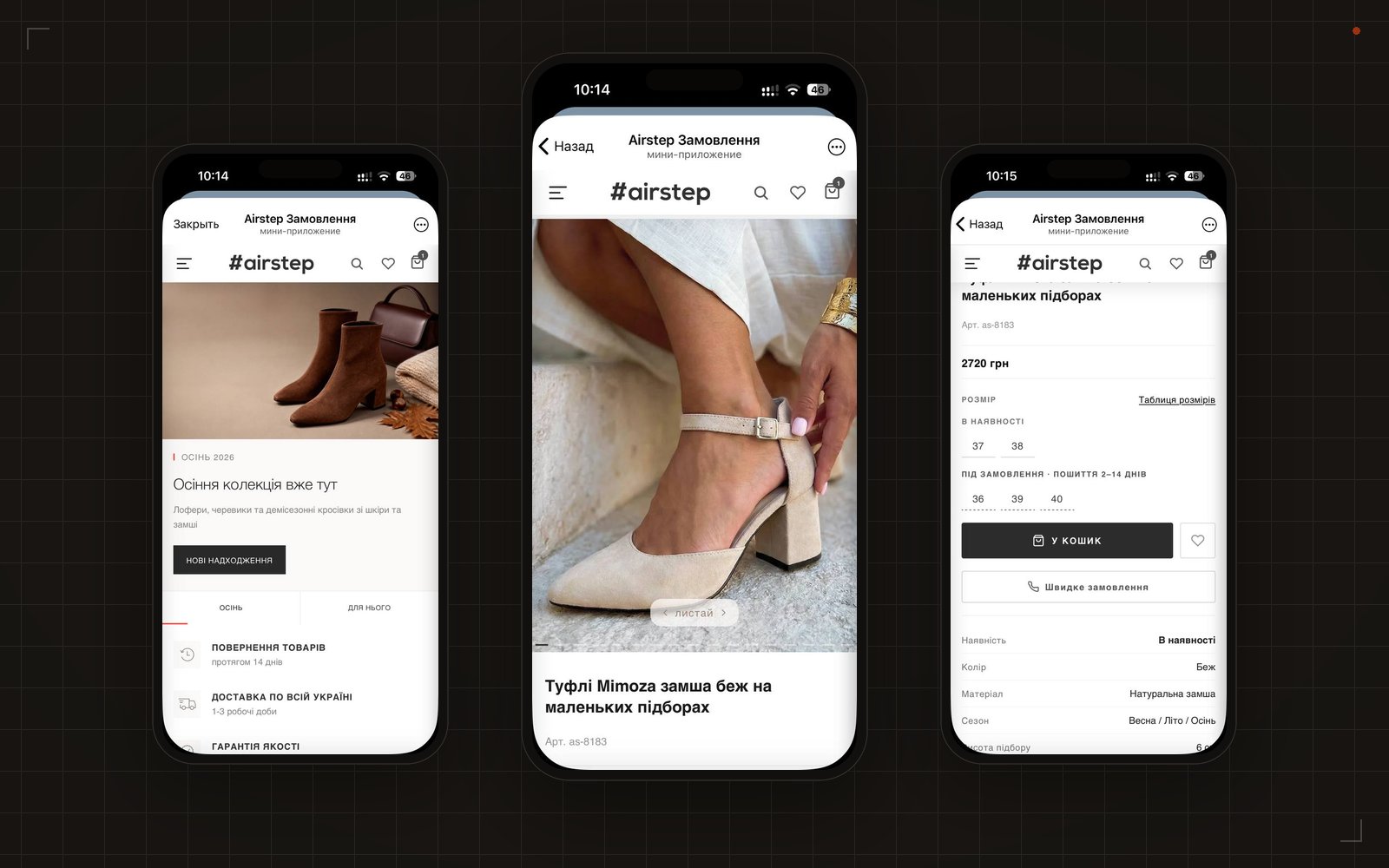
Customers open the store through /start or the bot menu. Telegram Back and Place Order controls work within the shopping flow, while unnecessary floating website buttons are hidden. The customer name comes from Telegram. A contact request lets the customer share their phone number. That requires a user action; the store should not assume the number is automatically available.
Before checkout, the bot asks for permission to message the buyer. It then sends an order confirmation with an item list and later status updates. Orders have a Telegram label and source in the admin panel. If a status message is not delivered, the admin panel warns the team. Saving an order and delivering its notification are separate outcomes.
The website case also describes new-order notifications for the team and Nova Poshta city and branch selection. The public Mini App case does not establish a 1C/BAS connection or automatic shipping label creation. Those would be separately agreed features for your project. It also provides no sales uplift figures, so the demonstrated purchase flow should not be read as a revenue forecast.
When an existing store builder is enough
A builder is worth testing when you are validating demand, can maintain products separately and have a manager who can confirm requests manually. Ask for a demonstration using one of your products, from a price change to the received order. A feature list alone does not reveal how much work remains for the team each day.
Before choosing, check whether you can export products and orders, what the required connections cost, who handles failures and what happens when the subscription ends. These conditions depend on the particular provider. Custom development also needs maintenance. Compare the same working purchase flow, including data transfer and the daily actions required from staff.
A custom solution becomes worth discussing when an existing website and stock system must stay connected, or when sizes, multiple warehouses and reservations require specific rules. The main work is then in connecting the systems. If the website itself makes shopping difficult, improvements can be planned through our online store development and integration service. Adding Telegram does not automatically repair a confusing cart.
Sharing products and stock with the website and 1C/BAS
Decide where the correct value for each field lives. Descriptions and images might be edited on the website, stock in an inventory system and discounts under a separate agreed rule. A shared catalog means consistent products and variants; it does not require one application to do everything. Product codes help identify the exact item during data exchange.
A connection to 1C or BAS, business systems used for accounting and stock records, needs assessment against the actual installation. What can it exchange, who maintains it, and how are sizes and warehouses matched? We can implement a connection after checking the available exchange methods. Naming BAS in a specification does not establish compatibility with a particular database.
A reservation temporarily holds stock for an order. Agree when it starts, when it expires and how it is released. Consider the last pair of shoes being ordered on the website and in Telegram at the same time. The final availability check must prevent two confirmed promises for that pair. If the stock system is unavailable, customers need a clear availability-check message and the manager needs a visible task.
What else depends on the checkout button?
This list shows connections that can be agreed for a store with stock and business records. It is a possible project scope, rather than a list of everything shipped for Airstep.
- Website and warehouse stock: check availability and reserve the item under the agreed rule when the order is placed, then release the reservation after cancellation.
- Payment status: mark the order as paid only after the payment service confirms it; if a paid order is cancelled, check the refund separately.
- Nova Poshta shipping label: create it after payment or manager approval and save its number; after cancellation, check that the parcel has not been sent.
- Manager and customer notifications: send the confirmed outcome after each action and show the team when a message was not delivered.
- CRM/1C records: create the order once, then add the payment or cancellation; a CRM manages customer work, while 1C holds business records.
Checkout, payment and dispatch have separate states. Opening a payment page must not mark an item as shipped. Cancelling an order does not prove a refund has arrived either. The admin panel and customer messages need to preserve those distinctions.
Payments for physical products: Telegram rules
Under Telegram rules checked on 20 October 2026, physical products can be sold using third-party payment providers. Telegram supplies integration tools but does not process these payments itself. Digital goods and services sold inside Telegram follow separate requirements involving Telegram Stars. A footwear checkout should not simply be copied for a digital subscription.
The practical choice is between an invoice through Telegram Payments and a provider checkout page opened from the storefront. The first requires checking that the intended provider is available through Telegram; an ordinary merchant agreement with a bank does not establish that. The second needs testing of the payment transition and return to the store. Our service includes LiqPay or Monobank integration as an option for physical products.
A first release can instead collect an order, let a manager confirm stock and agree payment afterwards. Cash on delivery can be considered after checking the carrier and settlement terms. Every route still needs an agreed returns process and a clear total before confirmation. Decide what happens to reserved stock while the customer has not yet paid.
When the customer closes the payment window
A closed window does not tell you whether money was charged. Confirmation must come from the payment system and be matched to the particular order. We can provide a payment-checking state, result verification and resumed processing without another order. Check fees and available payment methods with your provider. The developer’s integration charge is a separate cost.
Delivery and Nova Poshta shipping labels
Selecting a branch, creating a shipping label and sending a delivery update are separate tasks. Nova Poshta provides integration options for shipment processing. We can connect them to an agreed workflow. Before estimating, clarify the sender, delivery method, payer, parcel details and the point when a manager authorises label creation.
A saved label number does not mean a parcel has been handed to the carrier. Suppose payment succeeds but the delivery service is temporarily unavailable. The order needs to remain visible with an error and a way to resume shipment processing. Retrying must not create another label. For cash on delivery, agree separately how the team reconciles money received.
Customer messages and team notifications
Customers need an order number, item list, confirmed payment and a clear next step. Managers need the source, responsible person and reason for any delay. A payment confirmation should remain distinct from a promotional broadcast. Telegram provides a permission request for a Mini App’s bot to message the user. Permission does not guarantee that every later message will be delivered.
Airstep shows a warning in the admin panel when a status message cannot be delivered. For your store, also agree who investigates and which permitted channel they use to contact the customer. Only staff who need phone numbers, addresses and order details should see them. Buyers need to know who sells the product and how to ask about a return or mistake.
How customers will find the store
A Mini App provides a place to buy, but visitor acquisition needs a separate plan. For an existing shop, entry points might include a website button, a channel link or an invitation to continue through the bot. Start with customers already talking to you on Telegram. Follow the link yourself: is it clear whose store this is, how to open the catalog and where to ask for help?
Agree which events to measure: storefront visits, checkout starts, saved orders and confirmed purchases. These are different outcomes. People stopping at size selection may need a clearer product page. Saved orders that cannot be fulfilled suggest checking availability and staff processing. A bot launch counter alone cannot distinguish those problems.
Keep the familiar website checkout available during the first release. Agree who reviews new orders, investigates delays and helps buyers finish. Rehearse a customer changing their delivery branch after checkout: staff need to know where to edit it and whether a label already exists. Write down what to do if the bot or data connection becomes unavailable. An agreed manual route lets the team continue while the connection is restored.
What the owner should prepare
Start with an ordinary order: how someone chooses a product, who checks stock, where payment is recorded and how the parcel is dispatched. Include a cancellation or return. This reveals requirements that a request for “a Telegram store” leaves unclear. Write down disputed situations where a manager currently makes the decision.
- A website link or sample catalog with product codes, photos, prices and variants.
- The business system in use, warehouse arrangements and the person maintaining data exchange.
- Required payment and delivery methods, confirmation rules and the returns process.
- The notifications needed and the people responsible for processing orders.
- An existing bot link, storefront languages and how customers will find it.
Passwords are not needed in the first message. Examples with personal details removed are enough for the initial discussion. Once the task is agreed, we identify the required technical connections and a safe way to configure them. The domain and hosting stay in the owner’s account.
Scope, launch and checking the result
Our Telegram store development service offers a chat catalog with order intake and a Mini App format. The base includes bot menu and commands, web administration for products and orders, order handoff to a Telegram chat or CRM, server deployment and basic documentation. We confirm scope and price in a written specification after the brief. The linked service provides current pricing for English enquiries.
Payment integration, order or delivery status, an existing store connection, broadcasts, multiple languages and Google Sheets are separately listed options. A 1C/BAS connection or reproducing the whole Airstep store requires its own assessment. We hand over the code after payment, and the store data belongs to you. The estimate should say which connections are included and what staff will still do manually.
Before launch, shop on a phone: change a size, return from checkout to the cart, try an unavailable item, a refused payment and a cancellation. Check the result in administration, business records and messages. Also check how staff discover an integration failure. Send your current sales process and intended customer journey so we can discuss a suitable format and the scope of the first release.
FAQ
How do I create a Telegram store?
Define the purchase flow and where products and orders will be maintained. A chat catalog can suit a short selection; a Mini App provides a web storefront for filters and a cart. Agree payment, delivery and staff responsibilities, then check the entire purchase flow before launch.
How is a Mini App different from a store bot?
A chat catalog presents products through messages with photos and buttons. A Mini App opens a web storefront inside Telegram, where search, filters and a cart can be designed. Airstep uses its existing website catalog, prices, sizes and availability in this storefront.
Can a Telegram store accept payments for physical products?
Telegram allows third-party payment providers for physical products. Options include a Telegram Payments invoice with an available provider or a provider checkout page. Digital goods and services sold inside Telegram follow separate Telegram Stars rules. Payment confirmation must be checked against payment system records.
Can a Telegram store share stock with a website and 1C/BAS?
We can implement a connection after assessing the website and the exchange methods available in the particular 1C/BAS installation. Agree product matching, price and stock sources, reservations and order transfer. The public Airstep case establishes a shared website catalog, but does not establish a 1C/BAS integration.
How much does a Telegram store cost?
Artbrain offers a chat catalog with order intake and a Mini App format. Payment integration, order or delivery status and an existing store connection are separately listed options. Check the linked service for current English pricing. Final scope and price are agreed after the brief; a 1C/BAS connection needs its own assessment.