- A CRM keeps customers, enquiries and the next step in a shared working space.
- One customer can have several enquiries. Keep both the individual records and their connected history.
- Common functions include contact history, tasks, reminders and reports. Check channel connections separately.
- An existing service often suits a standard process; custom software needs a specific reason.
A CRM system is a shared place where a business keeps its customers, their enquiries and the next step for each one. Open a record and you can see what was discussed, where the enquiry stands and what needs to happen next. The history stays available to the team even when the person who spoke to the customer is away.
Many owners first hear the term from a software salesperson or developer: “You need a CRM.” Their own question is more practical: what would change during an ordinary working day? If enquiries currently live across phones, message threads and a spreadsheet, a CRM should help turn them into a clear process. An enquiry should be easy to find, and a customer should not have to explain everything again whenever someone else answers.
What CRM stands for
CRM means Customer Relationship Management. In everyday use, it usually refers to the software a business uses to manage those relationships, from a first enquiry to a repeat order or visit. It might be a separate service or part of a working system alongside your website and admin area.
Think of a familiar situation. Someone sends an enquiry, a team member checks the details and promises to call back. Without a shared record, that agreement stays in a private conversation or in one person's memory. In a CRM, the enquiry has a record, a history and a current status. A colleague can open it and pick up the conversation where it left off.
One customer may contact you several times, with a different outcome each time: a purchase goes ahead, a visit is arranged, an order is cancelled. A customer record connects those events. Separate enquiry records let you work on each arrangement while keeping the history of the relationship.
What you will usually find in a CRM
The exact set varies between applications, but these functions are common:
- Customer and contact records. Names, phone numbers, companies and other details needed for the work. The contact may be a customer or a company representative.
- Enquiries or deals with statuses. A pipeline shows the stage each enquiry has reached.
- Contact history. What was discussed and agreed.
- Tasks and reminders. Whom to call back, when to send a reply and what to do next.
- Notifications about new enquiries and changes that need attention.
- Simple reports for the owner. Which enquiries remain open, how many are complete and where work is building up.
- Connected channels: website forms, telephony and messaging apps. Enquiries arrive through them where the connections have been configured.
At a service company, a repair enquiry may become a technician's visit: the team needs the address, the problem and the agreed visit details. In an online shop, one customer may have several orders and a return. A colleague needs to see which order a new question concerns and what has already been agreed with the buyer.
Tasks and reminders serve a specific action: call back after lunch, send a clarification or check for a reply. It helps to see who owns that action and when it is due. A new-enquiry notification draws attention to an event. Too many messages make it easy for a team to miss them, so decide who needs each notification and which ones help people act on time. Check how the particular application supports this.
A simple report can help an owner answer useful questions: which enquiries still need attention, which were completed during a period and where has work built up? Check which date is used to select the records. A list of enquiries created this week differs from a list completed this week; some of that work may have started earlier. A useful report starts with a clear question and data that lets you check the answer.
Enquiries can be entered by hand or received through connected channels. Check the full path for each channel: send a test enquiry and find it in the system. Telephony and messaging apps may need separate configuration. Having a website form does not mean it already sends records to the CRM.
What a CRM looks like during an ordinary day
Our published InstinctSun project provides a real example. Its website, admin area and CRM use one database. The screens and features below belong to this particular implementation.
Morning: see the new enquiries
The administrator opens the pipeline, a view of the stages an enquiry can pass through. This system uses the statuses new, in progress, confirmed, arrived, cancelled and spam. Each describes a different situation: an enquiry is waiting for attention, someone is handling it, an arrangement is confirmed, or the work on it has ended.
New enquiries trigger Telegram notifications. The administrator receives a notification and can start working on the enquiry in the CRM. Its record keeps the history.

Agree on status meanings through a concrete example. An administrator called, but the patient did not answer: the enquiry is still in progress. Use confirmed once the patient has agreed to the visit date. This gives the team a shared understanding of which records they can rely on.
After the conversation: work with a date
The administrator uses the planner when a date matters. In this implementation, an enquiry can be dragged onto a date. The pipeline shows work by status, while the calendar offers another view of the same work: what is planned for a particular day.

A visit and a return enquiry: keep the history connected
At the clinic, enquiries merge into a patient record by phone number. The record includes a visit count and a returning-patient badge. A new enquiry can be opened alongside earlier ones to see the person’s visit history.
The same system has a doctor appointment module for complaints, diagnosis, prescriptions and templates. It supports three printed forms. Setting a follow-up date creates a new enquiry in the pipeline, bringing the next piece of work back into the shared flow after the current visit.

A medical appointment module is not a standard requirement for every CRM. It belongs here because of this clinic's workflow. Another business would need different information alongside its customer records, but the purpose remains similar: the right history should be available in the context of the current enquiry. The case study on patient records and online booking covers this specific process in more detail.
During the day: communicate changes
The project supports SMS for five events: a new enquiry, confirmation, reminder, cancellation and rescheduling. Each event can be enabled or disabled in the admin area. Quiet hours run from 21:00 to 9:00, and deduplication prevents duplicate messages.
The communication channels and events you need depend on the workflow. Discuss their scope and sending rules for the particular system.

At the end of a day, review open enquiries. Find those waiting for a customer reply and those that need action from the team. That helps you prepare the next day’s work.
How to use a CRM as a team
- Find the enquiry. Before the next conversation, read the history: what the person asked for, which details were checked and what was agreed.
- Record the outcome. Save the agreement and update the enquiry after each contact. For example: “Waiting for an answer about the date; call back tomorrow afternoon.”
- Set up the next step. Create a task or reminder where needed, if your system supports them. A colleague should be able to see when to follow up and with whom.
For training, show a new colleague a few completed enquiries and ask them to explain what happened. If they need the author of every entry beside them, find out which details are missing. Then work through a typical task together: a new enquiry, a conversation and an outcome. Try a change of plan separately. The colleague can then practise the familiar process with someone on hand to help.
Before creating a new customer, check whether a record already exists. The project above connects enquiries by phone number; another application may have different rules. If one person already has several records, review their history first. Similar names alone do not establish that two records belong to the same customer.
Where the scope of CRM ends
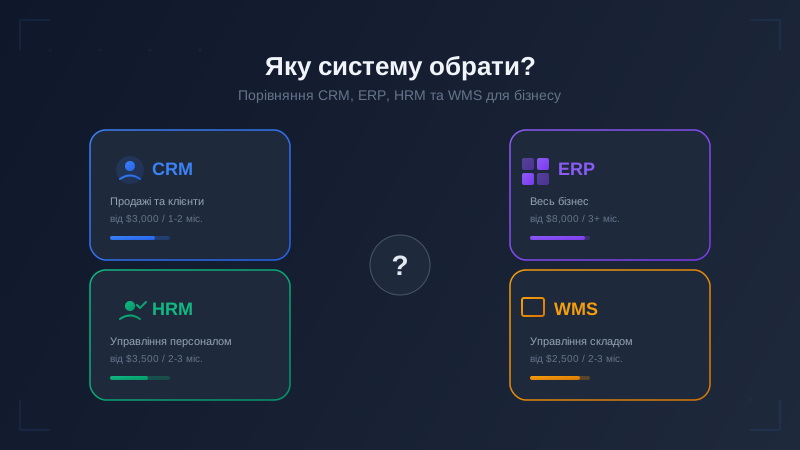
People sometimes use CRM to mean almost any internal business application. That can create an expectation that customer enquiries, warehouse work, timesheets and every other record will arrive together. The names help separate those jobs, even when several modules sit within the same product.
- CRM
- Customers, enquiries, history and the next step
- HRM
- Employees and working time records
- WMS
- Goods, stock and warehouse operations
- ERP
- Brings several business areas into one system and may include CRM
A CRM does not, by itself, mean you get personnel administration or warehouse management. A custom system can bring the modules you need together. Our separate guide to the differences between CRM, ERP, HRM and WMS covers the choice of system class. Here, the focus is the customer and their enquiry.
An existing service or a tool built for your workflow
A small team with a standard sales pipeline will often be well served by an existing CRM service. If you need contacts, clear stages and conversation history, there is little reason to start with a large custom application just to call it bespoke. What matters is whether people can use it day to day and whether its terms and limitations suit your business.
A custom system makes sense when the process does not fit a standard template. Your CRM might need to share a database with the website and admin area, as it does in the project above. Several roles may need different working screens, essential integrations may be missing, or the team may be continually working around the current tool.
Another sign is repeated copying: someone does the actual work elsewhere, then enters the result into the software only for reporting. Investigate the process before deciding what to build. The cause might be configuration, unclear rules or an unsuitable tool. Custom software is not an automatic answer to every inconvenience.
When discussing a custom system, show the working materials used by different roles. What does the administrator open before a call? Which information goes to the next colleague? What does the owner want to see at the end of the day? Examples of your current spreadsheets, without personal data, are a useful starting point. They help explain what each screen needs, what passes between people and what is being entered again by hand.
At Artbrain, we adapt the system to the way your business works. We begin with your process, explain the proposed decisions and help at each stage. We guarantee meeting deadlines, quality of work and support after launch, with these terms set out in the contract. We discuss the scope of that support and the integrations alongside the rest of the work.
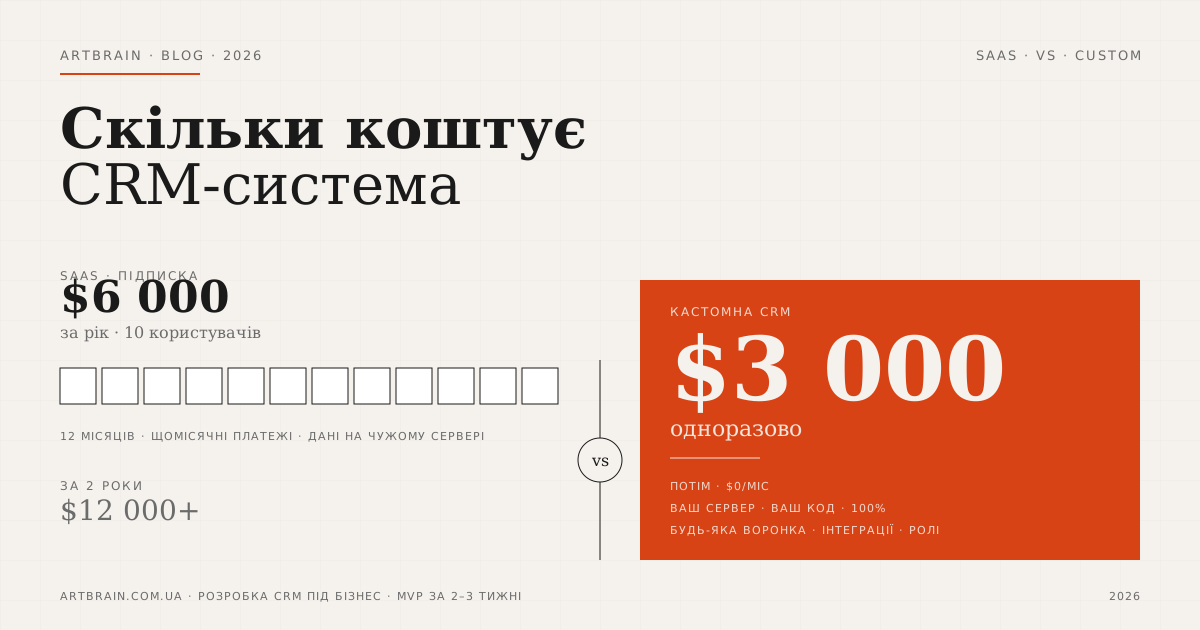
For budget information, see the service page and our separate explanation of cost factors.
Where to start in your own business
Before discussing software, describe the path of one real enquiry: where the request appears, who receives it and what follows the first conversation. Take a recent example from start to finish. Mark the steps where someone had to check a message thread or copy information by hand.
- Where enquiries arrive now: phone, website, messaging apps or other channels.
- Who picks up an enquiry and who receives it next.
- Where agreements get lost, duplicate records appear or enquiries go unanswered.
- The statuses you already use and what each one means.
Add one awkward example: a customer changed their mind, contacted you again or asked to move an appointment. That often explains the need better than a long list of desired buttons. A description without customers' personal data is enough for the first conversation.
Also prepare a short answer to what you want to stop doing by hand. Perhaps someone collects enquiries from several places every morning, or repeatedly asks colleagues how a call ended. For each of those actions, describe the result you want: one list of new enquiries at the start of the day, or a conversation summary available in the record without searching message threads.
Start with an enquiry that regularly causes trouble and the people who handle it. Include the connected steps needed to finish that process. This helps define the scope of a first version.
Once you have described the process, you also have a way to assess the first result. Take the same enquiry and check whether it can be found, whether the history is intact and whether the next action is clear. Try the change of plan separately. Being able to finish familiar work tells you more about the system's fit than a count of its screens.
Tell us how you handle enquiries today. Explain who works on them and where things become confusing. That gives us a useful starting point for discussing a system your team will be comfortable using.
FAQ
What is a CRM in simple terms?
A CRM is a shared place for customers, their enquiries and the next steps. Each record keeps the history so a colleague can carry on without piecing together agreements from different conversations.
How do you use a CRM?
Find the enquiry, read its history, record the outcome of the contact and check its status. Make the next step clear. Create a task or reminder where needed, if the application supports them.
What does a CRM system look like?
It may have customer records, an enquiry list, a pipeline with status columns and a calendar. This article shows real screens from InstinctSun. Other CRMs may have different screens and features.
What is the difference between CRM and ERP?
CRM focuses on customers and enquiries. ERP brings several business areas into one system and may include CRM. The section on the scope of CRM links to a separate guide to CRM, ERP, HRM and WMS.
Does a small business need a CRM?
Look at the process: are enquiries lost, can colleagues carry on without a spoken handover, and is the history available? A small team with a standard pipeline will often be well served by an existing service. A custom tool makes sense when the required process does not fit.